
A computer is never going to be able to do the job of a doctor. Medicine is art, service, and science, all rolled into one. There is a level of nuance, intuition, and compassion required to provide care that, frankly, a computer or whatever digital intelligence comes next, should never be able to match.
The first wave of healthcare digitalization was a bit of a mixed bag. The manual entry required by electronic health records, more often than not, can feel like a chore instead of a tool for easily tracking knowledge! Computers are great at crunching numbers though, and increasingly it is becoming possible to harness this "crunching" power to create deep, mathematical representations of digital images. As computing power and access to data has increased, this crazy crunching power has come to be more generally known as "AI".
Eyecare has already benefited from game-changing applications of AI - from OCT progression algorithms to fully FDA approved diagnostic models. Most of these applications tend to focus on providing expert-level diagnostic predictions for specific diseases.
Unified created "Doctor in the loop" AI as a way to seamlessly merge the interpersonal skills, intuition, and deep expertise of the eye care provider with the raw power and latest advancements in artificial intelligence.
From upload to review, every image in Unified can be used to create, train, and improve machine learning-based models. Over time, these models can be used to power your own "Virtual Scribe" to help annotate and highlight areas of interest within images.
AI is not and never will be a replacement for a trained practitioner. It will increasingly become an essential tool for helping practitioners stay efficient, and hopefully, several steps ahead of pathology. Our goal is to provide clinicians with a platform that allows them to quickly and easily train their own models, as a natural part of their workflow.
So, how does all of this work? It's easy!
- Confirm Predictions
- A basic virtual scribe is turned on by default, as of today, it will attempt to detect:
- Quality: Whether or not an image is good enough for a diagnosis to be made (acceptable vs unacceptable)?
- Type (modality): What type of modality does an image represent (OCT, Photography, Visual Field, ...)?
- Laterality: Which eye does an image represent (OD, OS, OU)?
- Simple Screening: Does this image have potential pathology (normal vs abnormal)?
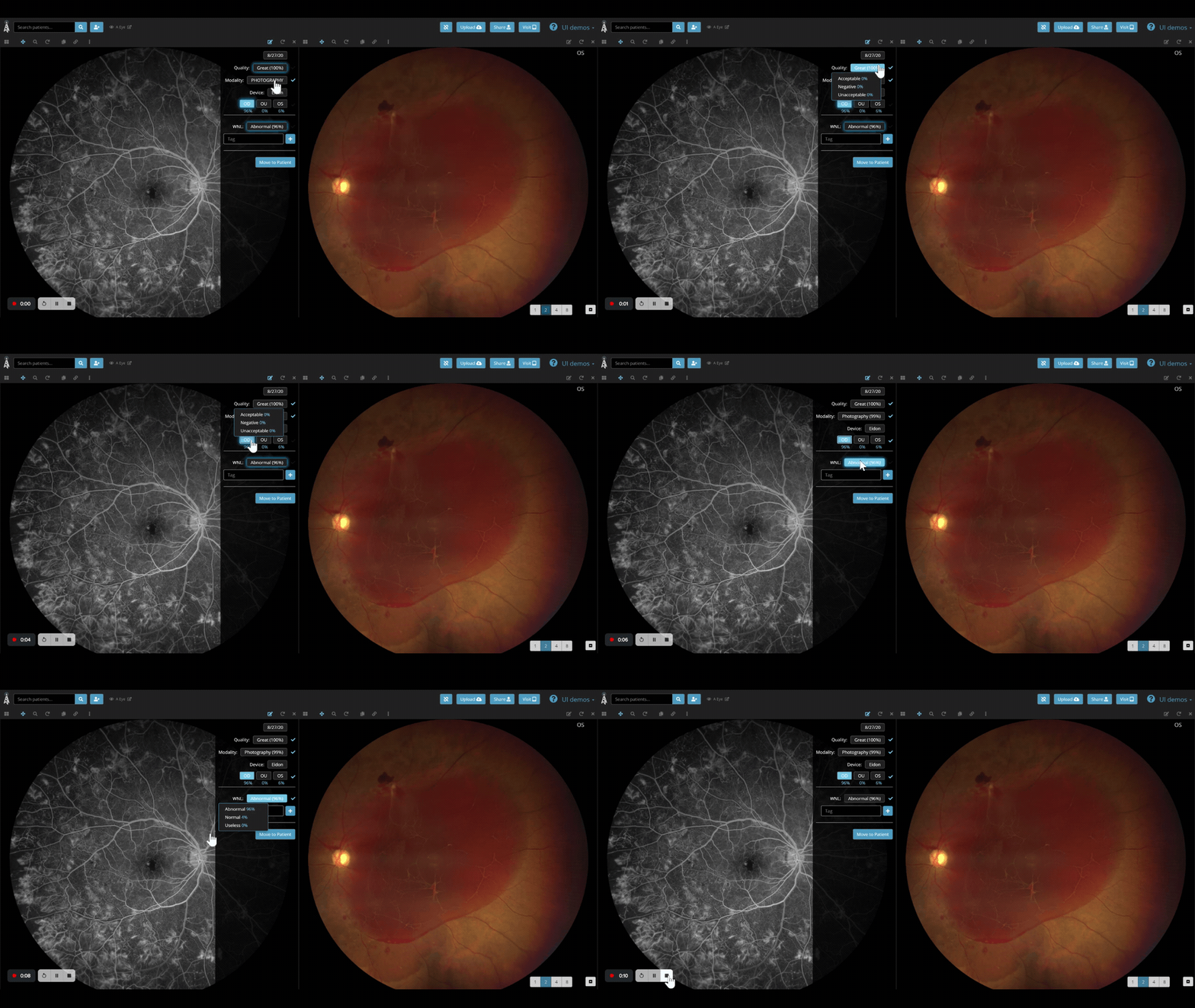
- When a prediction is made, it will "glow"
 and display the value of the prediction along with the probability % that the prediction is accurate.
 - To confirm a prediction, tap or click on the glowing tag
 , a checkmark will appear to the right of the tag - denoting that tag is now confirmed and can be used to further train your Virtual Scribe!
- A basic virtual scribe is turned on by default, as of today, it will attempt to detect:
- Correct Predictions
- They say you learn more from your mistakes than your successes - and it's no different with your virtual scribe. When an image is misclassified, correcting the classification will help retrain the model that the Virtual Scribe is using, and improve its performance over time.
- Select the tag you want to change - either select the appropriate option from the dropdown menu, button or add your own tag
- Select the tag you want to change - either select the appropriate option from the dropdown menu, button or add your own tag
- They say you learn more from your mistakes than your successes - and it's no different with your virtual scribe. When an image is misclassified, correcting the classification will help retrain the model that the Virtual Scribe is using, and improve its performance over time.
- Create your own tags
- Even the best scribe can only learn what they're taught. To get the most out of Virtual Scribe, tags can be added to images for deeper classification and measurement tracking. Over time, these tools will become more automated and help improve features you'll be able to track.
- Comment Tag:
- A comment can be anything you'd like to keeps tabs on, from the diagnosis of the image to comments between colleagues.
- A comment can be anything you'd like to keeps tabs on, from the diagnosis of the image to comments between colleagues.
- Line Measurement
- A simple line measuring tool for tracking the size and location of Regions of Interest (ROI's) in images.
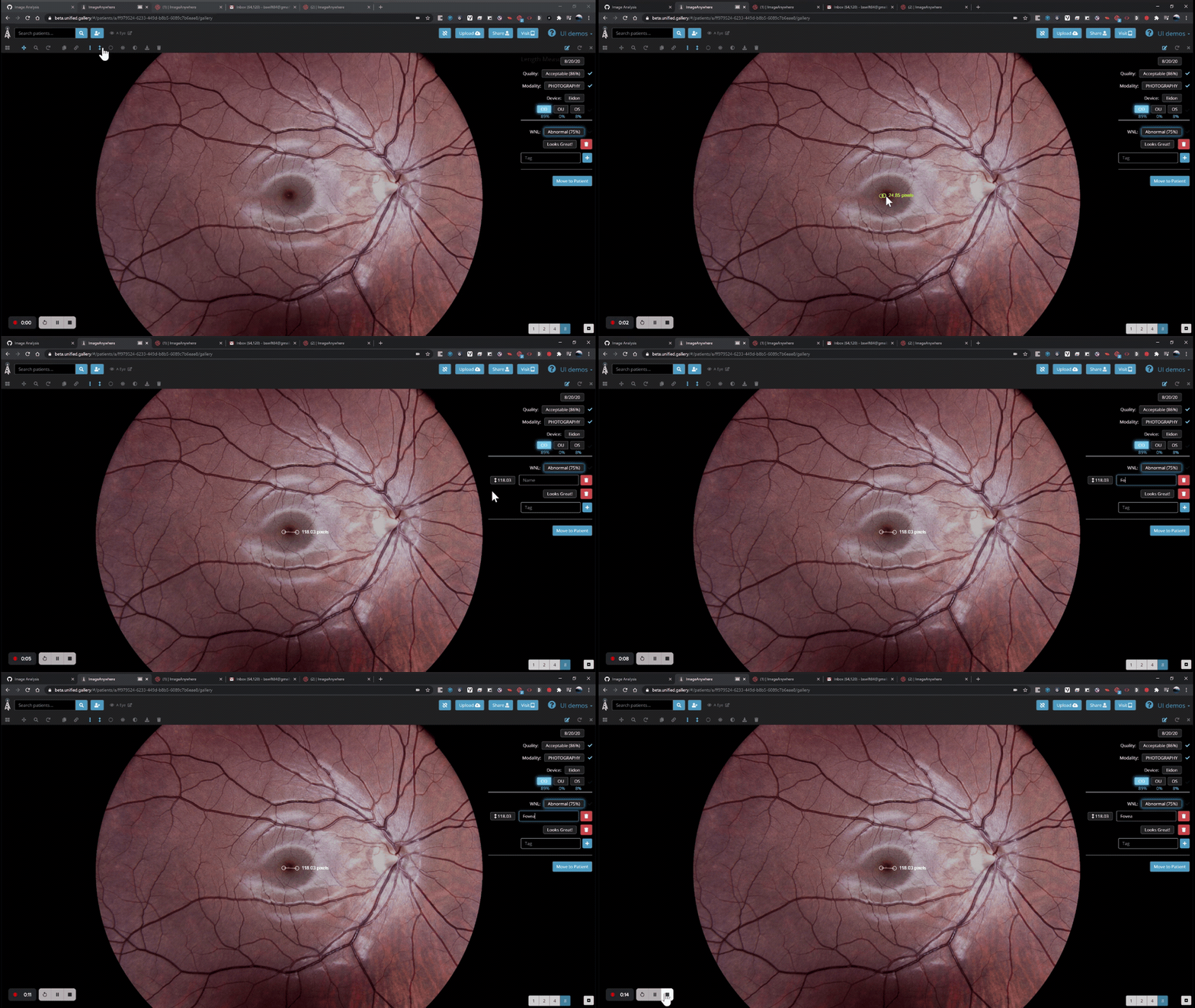
- Ellipse Measurement
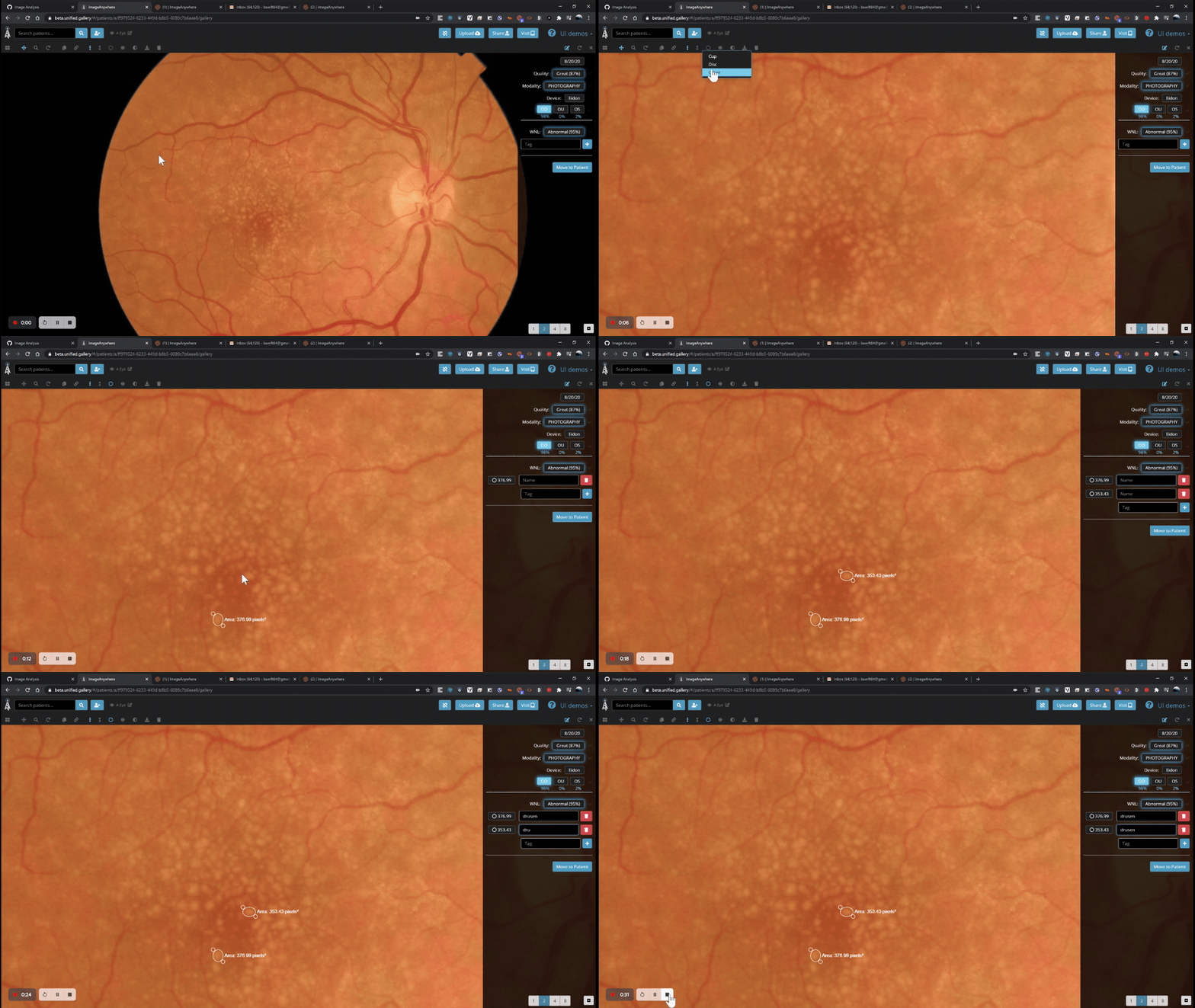
- Basic Ellipse
- When a line just won't cut it, use an ellipse to get an area calculation for a given ROI.
- When a line just won't cut it, use an ellipse to get an area calculation for a given ROI.
- Cup to Disc
- Combining a cup and disc tag, will create a cup to disc ratio calculation.

- Basic Ellipse
- Comment Tag:
- Even the best scribe can only learn what they're taught. To get the most out of Virtual Scribe, tags can be added to images for deeper classification and measurement tracking. Over time, these tools will become more automated and help improve features you'll be able to track.


Comments
0 comments
Please sign in to leave a comment.