
If you have any suggestions or ways we can improve, we'd love to hear from you. Feel free to schedule a quick 15 min call with us through the live chat system to share your feedback!
Live chat allows providers and patients to easily communicate with each other in real-time, within our HIPAA compliant platform. Live Chat sessions can be recorded and stored in the patient's EHR record.
For example, what if Count Macula was under quarantine but scratched his eye, opening a bottle of lutein!? For quick check-ins with established patients, Unified live chat is a great way for modern eye care professionals to provide care efficiently and remotely.
- While in the count's chart, select the
 button in the upper right corner
 - Enter the patient or provider email\mobile number that you would like to invite to chat
- Select the
 button to generate a unique link and secure meeting room for you and the patient. (you can invite another provider as well, just enter their email and create a new link for them!)
 - After selecting the create button, a unique invite link will appear that you can share with Count Macula. This link will also be sent automatically to the email and\or mobile number provided.
- When you're ready, select the
 card under the schedule to enter the chat.
 - A new tab will open and your live chat will begin as soon as Count Macula joins. (you will also notice a blue patient icon next to the patient name
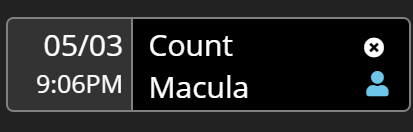

To view your virtual visit schedule, just open the start a visit button to see a list of appointments.

Tips, Tricks and Other Troubleshooting!
- 5 tips that solve 99% of issues and other troubleshooting steps
- Improve your calls
- Unblock camera/mic access on a computer
- Unblock macOS browser camera/mic access, for Mojave (10.14) and later
Comments
0 comments
Article is closed for comments.