
Inviting a user to your organization inside Unified is the best way to not share passwords. You can invite as many doctors or technicians as needed into your Unified organization, and can assign them to differing locations if necessary.
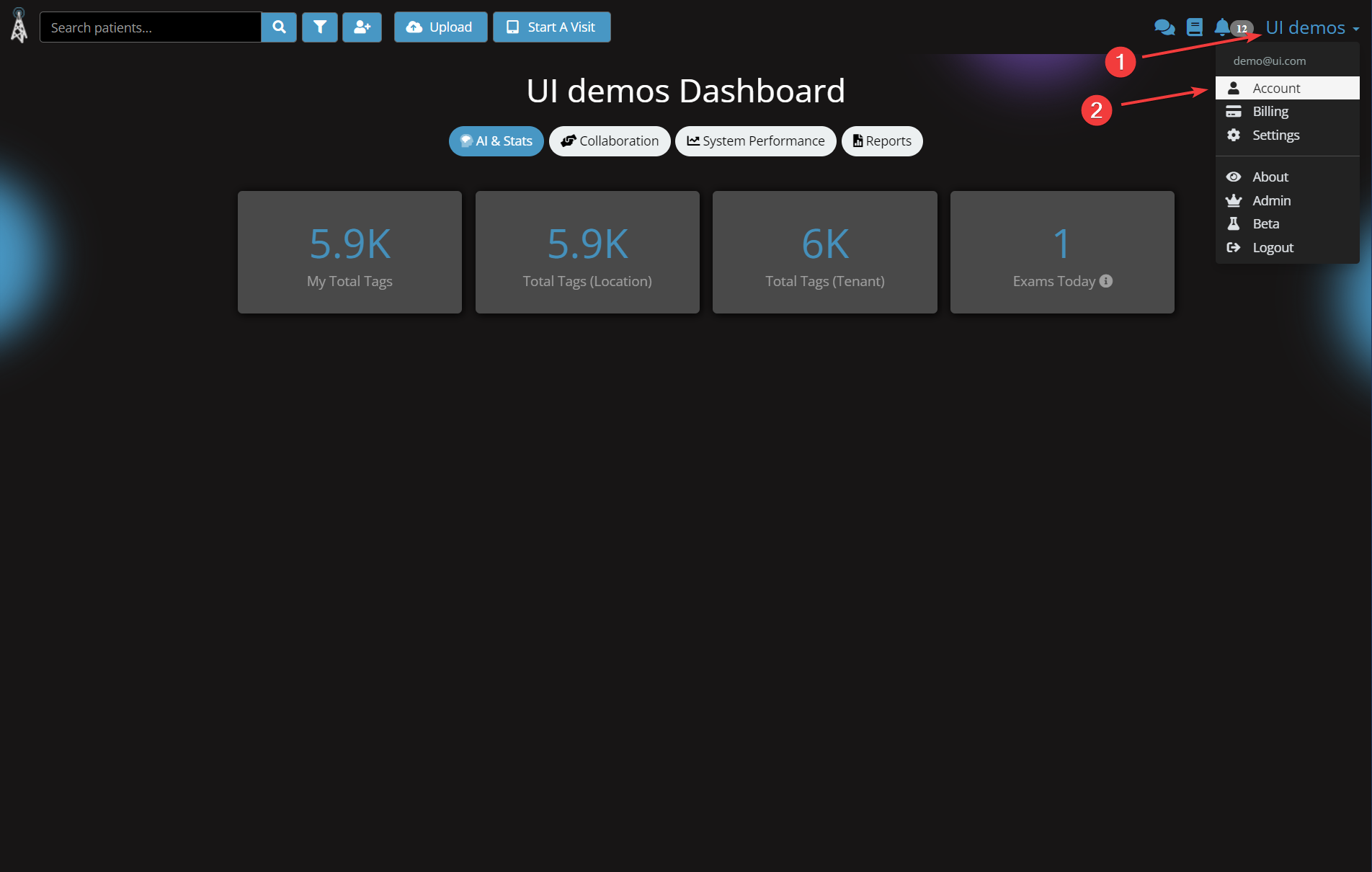
1. Click your organization in the top right, in this example it is "UI demos"
2. Click Account
3. Scroll down to the "Invite colleagues" section (labeled 2 in the image below)
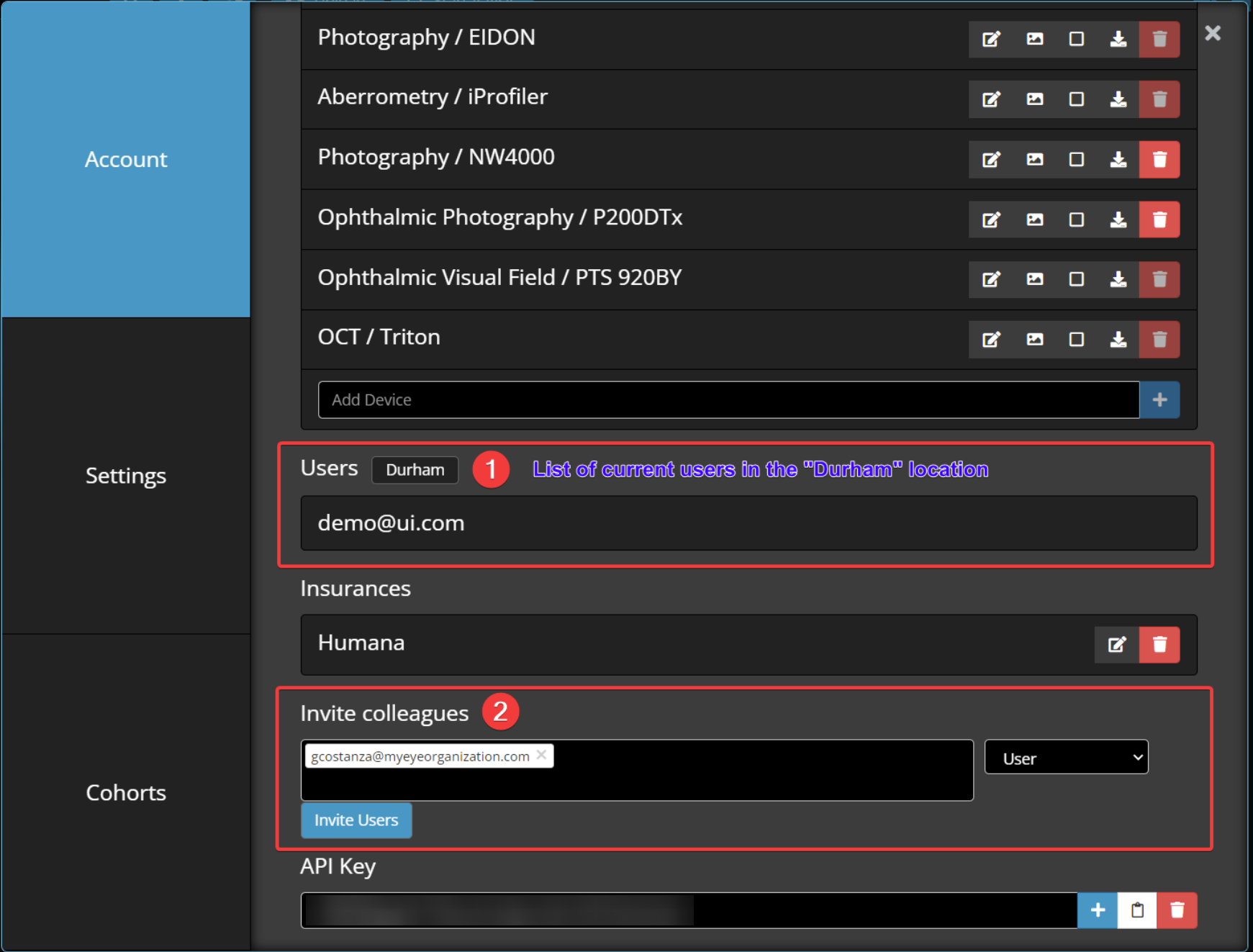
You can view the list of current users for a location in the "Users" section.
In this instance, the only user in "Durham" is demo@ui.com.
4. Input the user's email in the empty field
5. Select "Admin" or "User" from the drop down
- Admins are the only users that have permissions to invite new users, add new locations, and add new devices.
- Users can view all patients, images, and add or edit patients.
6. Click "Invite Users"
Comments
0 comments
Please sign in to leave a comment.