
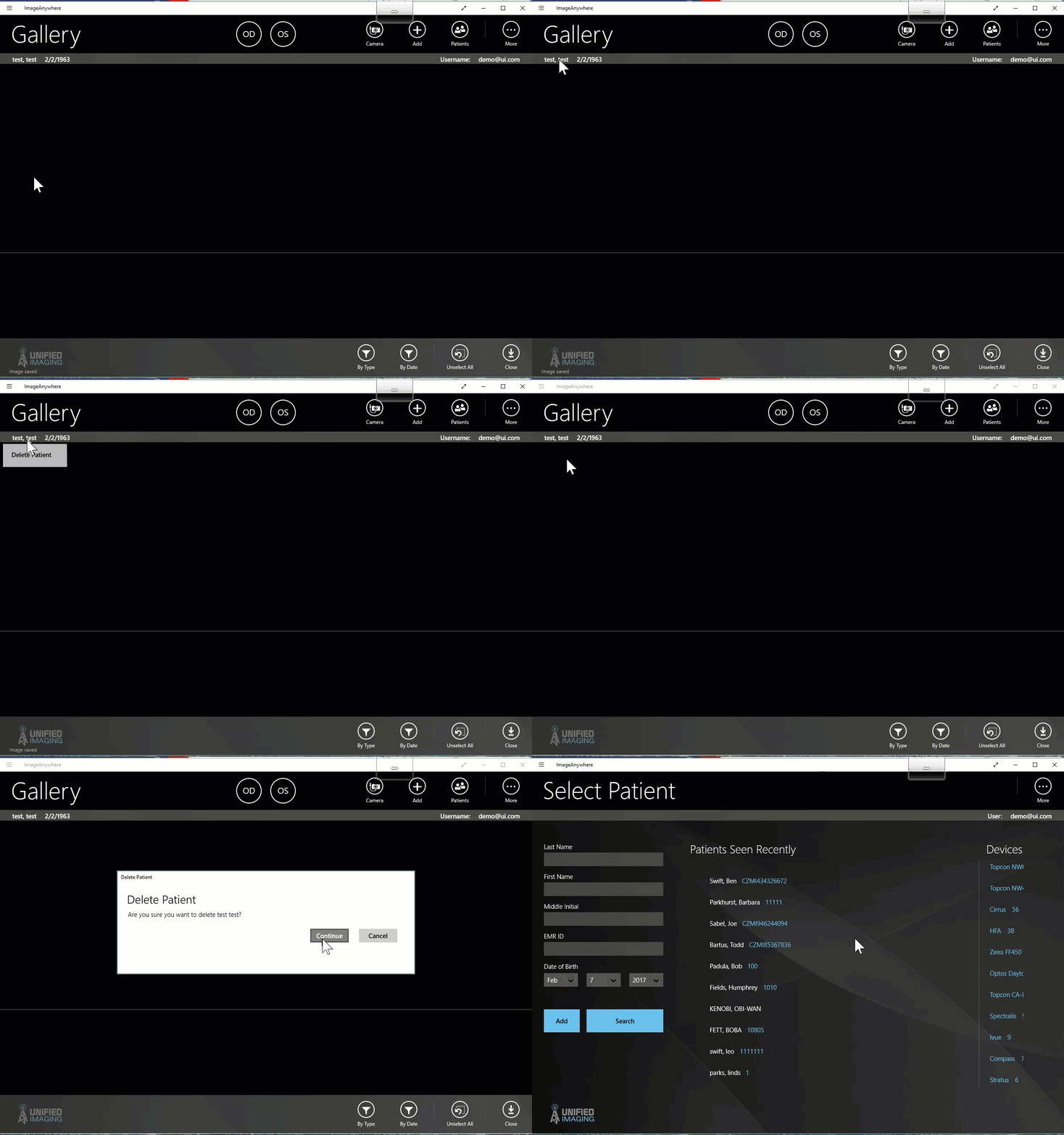
To Delete a patient:
- In the patient chart, left-click or tap on the patient name
- select "Delete Patient"
- If there are images associated with the patient:
- A prompt will appear asking if these images should be transferred to another patient. (see: how to merge a patient or how to transfer images for more information)
- If there are no images associated with the patient:
- Confirm the deletion by selecting "Continue" in the prompt.
Comments
0 comments
Please sign in to leave a comment.