
The ImageAnywhere App should be set to watch a folder for incoming data. Data from an accepted format that is present in this folder will be pulled into ImageAnywhere and either be auto-saved to a patient record or available for manual save to a patient record.
In most cases, this folder should be set to C:\unified_imaging\inbox. In some cases, this folder may be different.
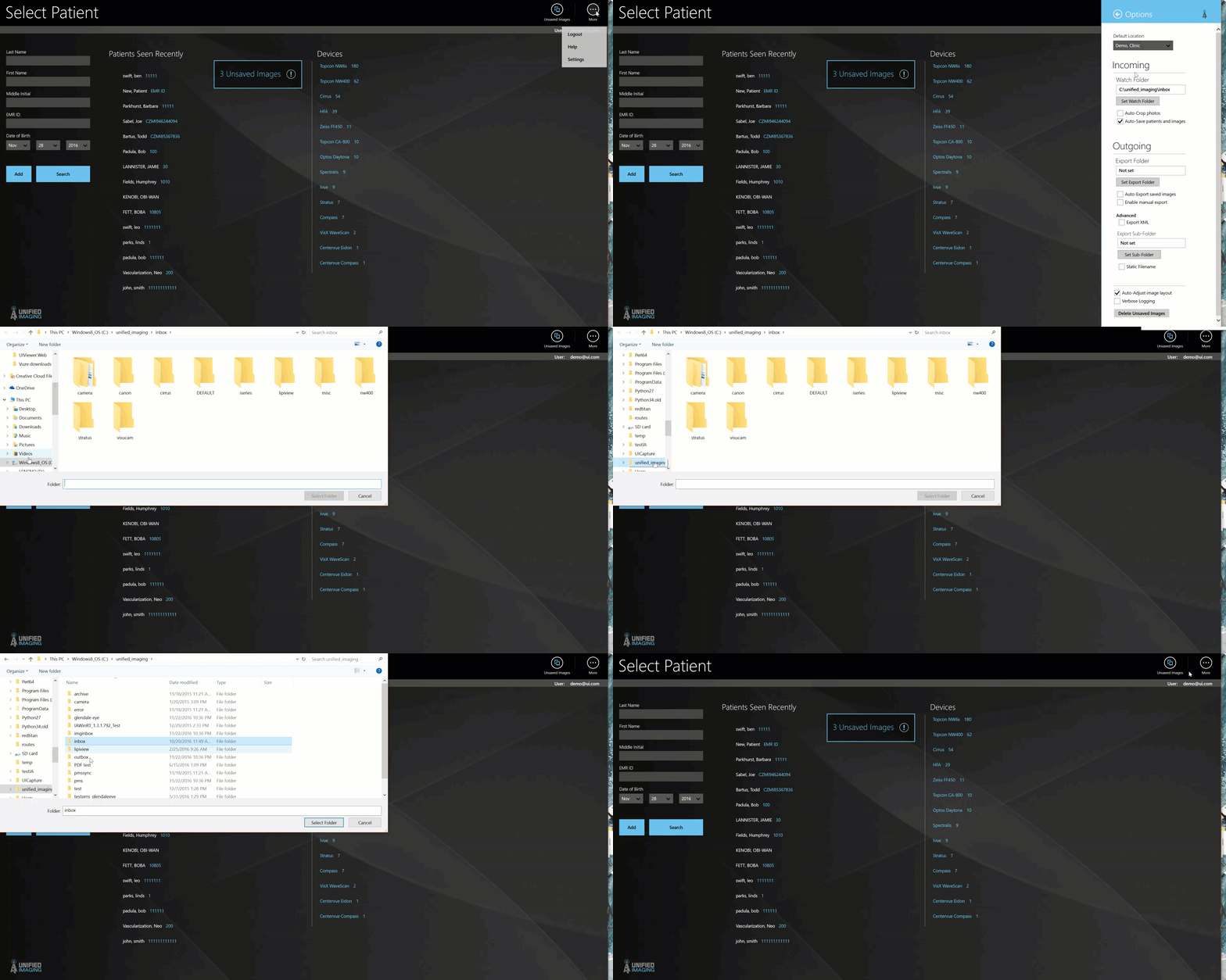
- To Set the Watch Folder:
- From any screen in ImageAnywhere, Select the "More"
 button
 - Select: "Settings"
- Select: "Options"
- In the flyout window, under the Watch Folder section, click on the button that says: "set watch folder"
- select the desired watch folder.
Comments
0 comments
Article is closed for comments.